Key Pairs
Key pairs refer to security credentials used for ensuring the identity of a user connecting to a VM instance.
Create a new key pair
Navigate to the Main menu > Compute > Key Pairs view.
Click Create in the top toolbar.
In the Generate Key Pair > Details tab, select Generate a key pair and download the private key.
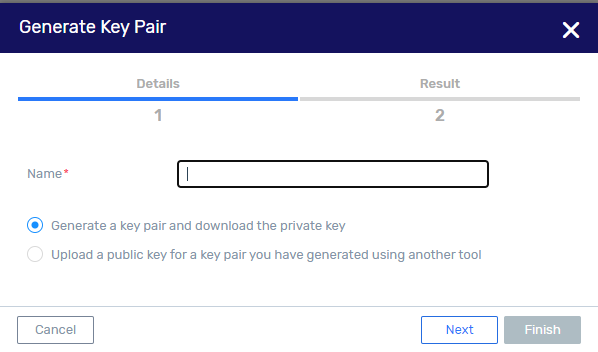
Enter a unique name consisting of letters, numbers, spaces, underscores, periods and dashes. It must begin and end with a letter, number or an underscore.
Click Next.
In the Generate Key Pair > Result tab, the following is displayed:
Name of key pair.
Fingerprint of public key.
Click Save to download the private key to your browser’s default download location. The private key file is named: <name>.pem where <name> is that specified for the key pair in the Details tab.
Click Finish.
Upload an externally generated key pair
Use a tool of your choice to generate a key pair (public and private key), and change the file permissions on the private key to 400 or 600 to secure the key.